We create systems to control equipment for Live Production, Brand Activations, Interactive and Static Installations, and Museum Displays.
Control systems for Lighting, Sound, AV, Stage Mechanics, Vision Input and other project features.
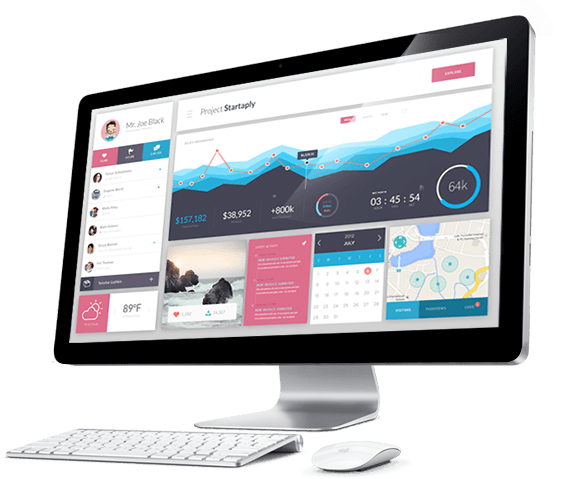
We create systems to control equipment for Live Production, Brand Activations, Interactive and Static Installations, and Museum Displays.
Control systems for Lighting, Sound, AV, Stage Mechanics, Vision Input and other project features.
Automated and Cued Systems for Content Display. Perform Actions based on Date, Time, new content arrival, and almost any other trigger.
Control your displays how you want. Keep the display current and integrate onto your workflow.
Automate tasks to free up your time and save costs.
Automate Image processing, resize, add overlays, animate and display.
Automate software to perform on cue.
Automated control systems.
Document automation systems.


We create integrated technology for Brand Activations. If you have an idea, we can probably make it happen for you
Whether you need to manage people, assets, accreditation, invitations we can build a system to meet your expectations.

This FileMaker demo has been designed to show you one method for obtaining Value List Items from the DataAPI.
Using the FileMaker DataAPI, you do not have to leave the current context to get the Value List Items from a different context and/or layout.
Also, using the DataAPI we have access to both the Value, and Display Value that is set in the Value List, this Opens up the possibility of more dynamic interface elements, for example replacement dropdowns, replacement Popup Menus.
Custom Functions Included:
This file demonstrates when FileMaker Performs Calculations. There is a custom Function which is called on the layout LC.
this custom Function : OrderCalc(placeFunctionCalculated) which you can call from anywhere a calculation can be made.
the Function creates a global variable which increments each time the function is called.
It writes to the $$var[0] a log of the data when the calculation was called.
I have implemented a Log, in the form of a virtual list which shows the calculations which have happened.
On the right of your desktop, there should be a window open called LOG, this window should have onTimer script trigger running on it.
This will update the log window so you can see when things are calculating.
custom Function - OrderCalc (placeFunctionCalculated)
parameter - placeFunctionCalculated - is the information you want logged into the log variable.
This will very quickly create lots of data in the $$Var[0] variable. you may have to close FileMaker, or the data viewer if the log becomes too big and FM stops displaying the data.
I would suggest not having this file open when you have another FileMaker file open!!!
I thought I would set my self a challenge.
Create 1 million records in a table, in the fastest way possible.
Only rules are - there can be no records when the timer starts, that includes in external data sources.
So you can not already have set ready - it must be created after the timer starts.
This file demonstrates a method for creating 1 Million Records, fast.
Even on my old laptop 1 Million Records can be created in under 1 minute 45seconds.
While it seems like an easy task - if you don't do some research, it can take hours.
The first port of call people think of is lets make a script:
$loop = 0
   Loop
   New Record
   $loop = $loop + 1
   exit Loop if $loop > 1,000,000
End Loop
rational thought - but this definitely takes more than 2 minutes
This method can also be used to set a variable with 1 million UUIDs in less than 20 seconds